

Amazon.com Widgets
Appbite.com logo
Download wannabat on iTunes

Night Light Brightens Up Your Room

By Maria Poeana   March - 14 - 2012    See more Apps inApp Reviews, Productivity & Utilities   Comments
night-light-iphone-app-review

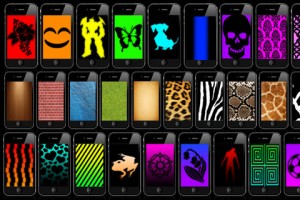
Is your child asking you to leave the light on when he goes to bed, because he’s afraid of the monster hiding in the closet? Or are you preparing to throw a party, and the only thing missing are the lights that make you feel like you’re in the middle of the dancing ring? Well, believe it or not, now there’s an app that brings to the table all the night lights you’ll ever need. This is Night Light, and you can purchase it from the AppStore.

Night Light is the app that can make your evenings more romantic or, quite the contrary, turn them into wild party nights. Imagine this: all your friends are gathered, drinks are in the glasses, the music is loud, everybody’s dancing, but there’s still something missing from this picture. It’s the night light that can turn any place into a club. And instead of heading for the supermarket to buy [...]

Rest Thy Fingers! Talk Instead Of Typing!

By Bogdan Lazar   January - 27 - 2012    See more Apps inApp Reviews, Productivity & Utilities   Comments
voice-to-apps-iphone-app-review

When Siri came out with the iPhone4S we were all ecstatic. Imagine the possibilities of your own personal assistant to whom you can issue plain, common commands and she does them, performing admirably. Of course, this meant that you had to get the latest iDevice from Apple, so you’d shell out 500 bucks to be able to use Siri. But if all you wanted was to give your thumbs a rest from all that typing, then there are other options and they won’t force you to buy a new phone.

VoiceToApps is an iPhone & iPad app that will let you talk to apps instead of typing. Whether you want to send an iMessage, a SMS, write an email or post to Facebook and Twitter, VoiceToApps lets you use your voice instead of your typing fingers.

Simply open up the app, select the language (only on first run) and tap record. The app will tell you when it’s ready to start [...]

Thoughts On Creating And Storing Strong Passwords

By Bogdan Lazar   January - 23 - 2012    See more Apps inApp Reviews, Productivity & Utilities   Comments
alphapass-iphone-app-review

Is your email password the same with your Facebook login password and perhaps even your Twitter account? If you use the same password for your dozen or so accounts on the interweb, then you’re exposing yourself to a lot of security risks. Even more so if your password is something like “password” or “password1234” or any of the worst passwords that the year 2011 has seen. There are great ways to remember your passwords and a handful of guides to help you create a bullet-proof one for yourself without the risk of forgetting what it is (here’s one of them).

Still not satisfied with the level of “encryption” that you created for your passwords? Then you might want to try a commercial software that can take care of that for you. And Alphapass is one of them. It will run safely on iOS devices, and if you’re like me and you carry your iPhone with you [...]

Keep Your Personal Stuff Safe With MediaSafe

By Maria Poeana   January - 10 - 2012    See more Apps inApp Reviews, Productivity & Utilities   Comments
mediasafe-iphone-app-review

Our iPhones aren’t just devices that we use to call other people. They are sources that can sometimes reveal more personal information than we would like do disclose. But now, you can choose exactly what information on your iPhone you don’t mind sharing with other people, and what you want to keep to yourself. All you need is MediaSafe. And you can have it with a single download from the AppStore.

MediaSafe is the app that allows you to choose which photos, videos, contacts and notes you want to keep private. Once you start the app, just slide your finger on the screen, and create your own dot-lock code (very Android-like). It’s easier to remember than a four-digit code and it makes unlocking the app way more fun. Now, all that’s left for you to do is start adding the pictures, videos, contacts and notes that you want to keep to yourself.

And if [...]

On The Art Of Speed-Dialing With Your iPhone

By Bogdan Lazar   December - 17 - 2011    See more Apps inApp Reviews, Productivity & Utilities   Comments
taggydial-iphone-app-review

TaggyDial lets you pair pictures of your friends and family with contact information already available on your iPhone by tagging faces in the pictures. Afterwards, you can just tap the face you previously tagged to call that person.

This iPhone app tries to make use of all the photos you already have on your device and lets you magically call a person by tapping on its face in a photo. Well, it’s not really magic, because you have to manually add photos to the app, tag each person in the photo and pair it with one of your contacts or create a new one.

Then, when you want to call your friend Bob, launch TaggyDial instead of the Phone or Contacts app and tap a picture and then tap your Bob’s face to bring up his contact card. Tap the number you want to call and you’re done.

You can also have more than one contact in a photo. This works [...]

How To Access Your PC From Your iPad

By Bogdan Lazar   November - 7 - 2011    See more Apps inApp Reviews, Productivity & Utilities   Comments
uniqxcess-ipad-app-review

We’ve reviewed remote access apps before and although they all ultimately do the same thing, it all comes down to ease of use, reliability and security. And UniQXcess passes the tests with flying colors, save for a few exceptions.

UniQXcess lets you set up any PC running the UniQXcess server to be accessible from your iPad, provided that you download UniQXcess from the AppStore. The setup process is painless and very intuitive on both the iPad and the PC.

On the iPad, you need to download the app and create your free account by providing your email and choosing a password. You can then start using the app, even without installing the server. The iPad app can connect to your Dropbox account and you can view your files from right within the app.

But if you want to be able to connect to your PC, you also need to set up the UniQXcess [...]

HeadFinder Makes Sure You Don’t Lose Your Head

By Maria Poeana   November - 1 - 2011    See more Apps inApp Reviews, Productivity & Utilities   Comments
headfinder-iphone-app-review

When it comes to reminders, you are faced with a lot of options. With the AppStore being flooded with apps whose main purpose is helping you remember the things that you need, is there any room for another similar app? Well, HeadFinder is here to prove that there’s always room for a reminder app in the AppStore, as long as it brings something new and useful to the table.

HeadFinder is the app that makes sure you don’t forget what you have to do today, tomorrow, always. Just tap on the “Add” button, write your task and a description, if you want to make sure that you’ve got all the details that you need to remember, set the due date and you’re all done. As simple as that and as similar to other reminders as it gets. But, fortunately, that’s not all that HeadFinder does, starting with the really [...]